1. Start
docker-compose up -d2. Register & Login
- ID
- Emal
- Password
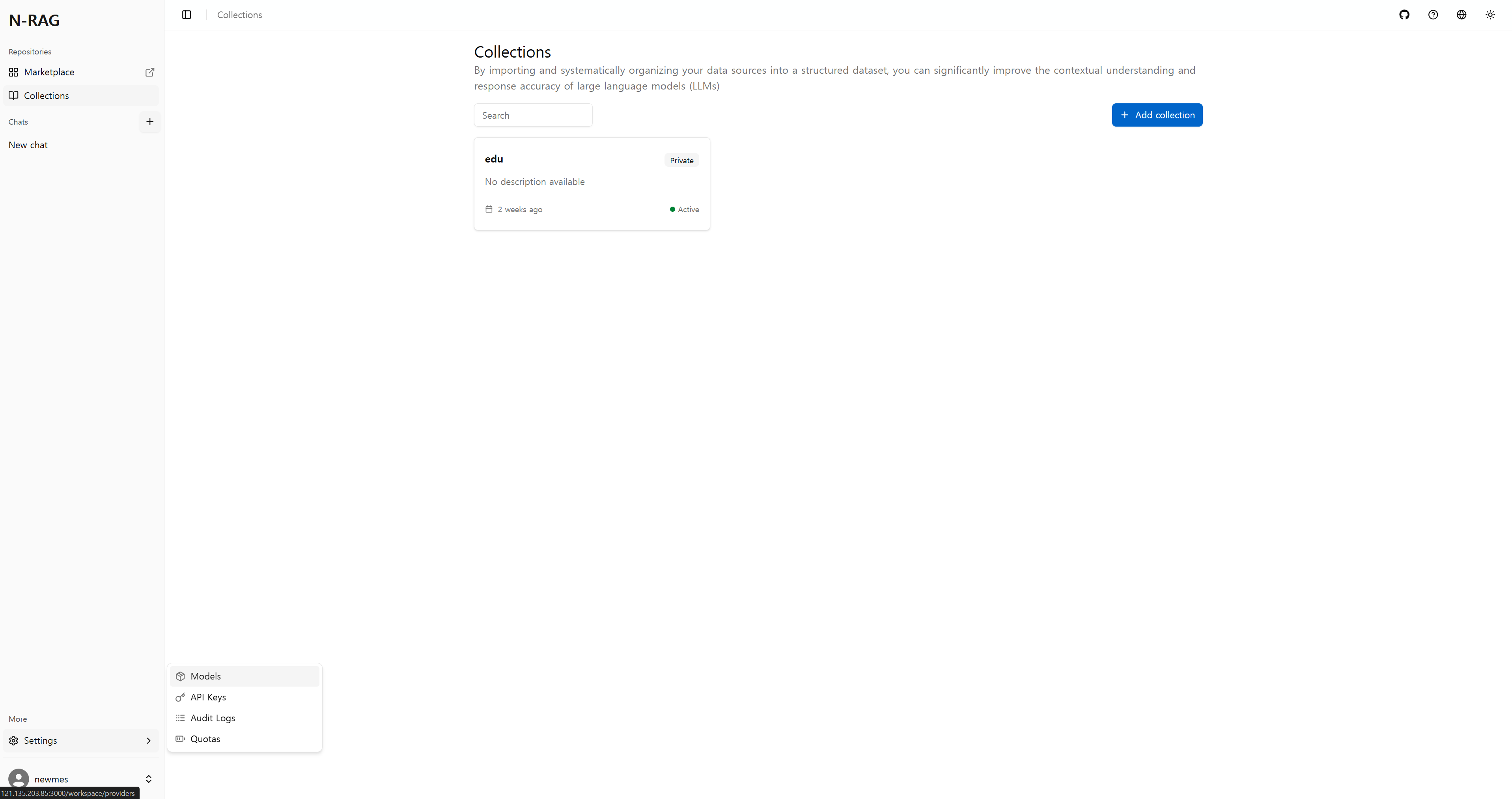
3. Model Settings
Settings -> Models 클릭
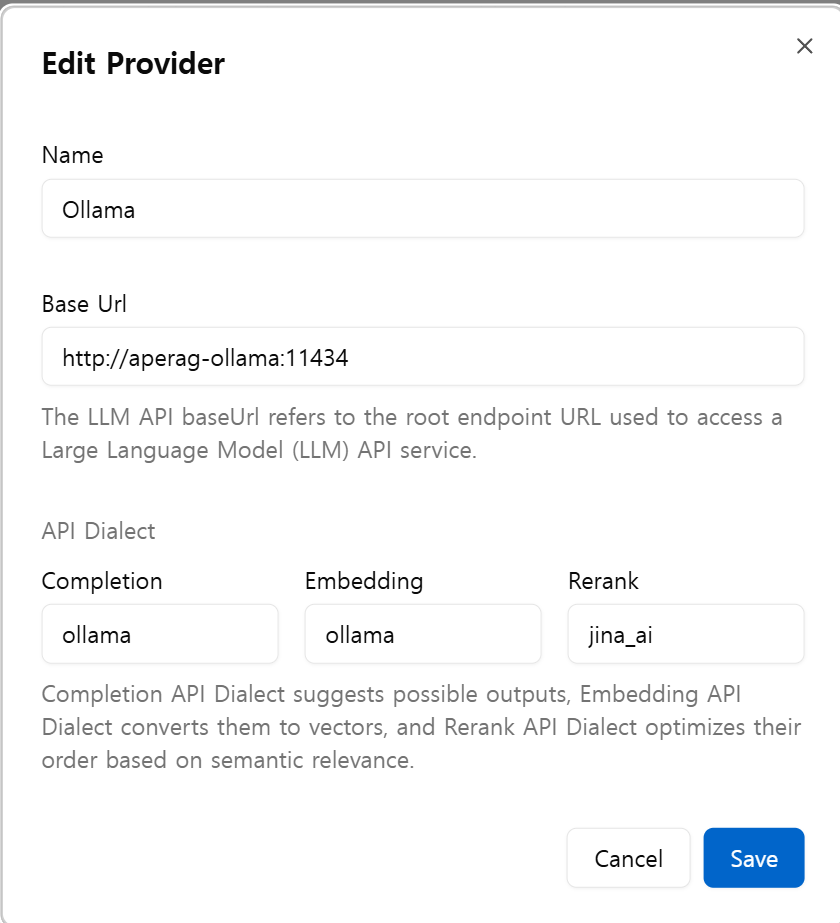
Ollama Provider 추가 및 Enalbed 활성화

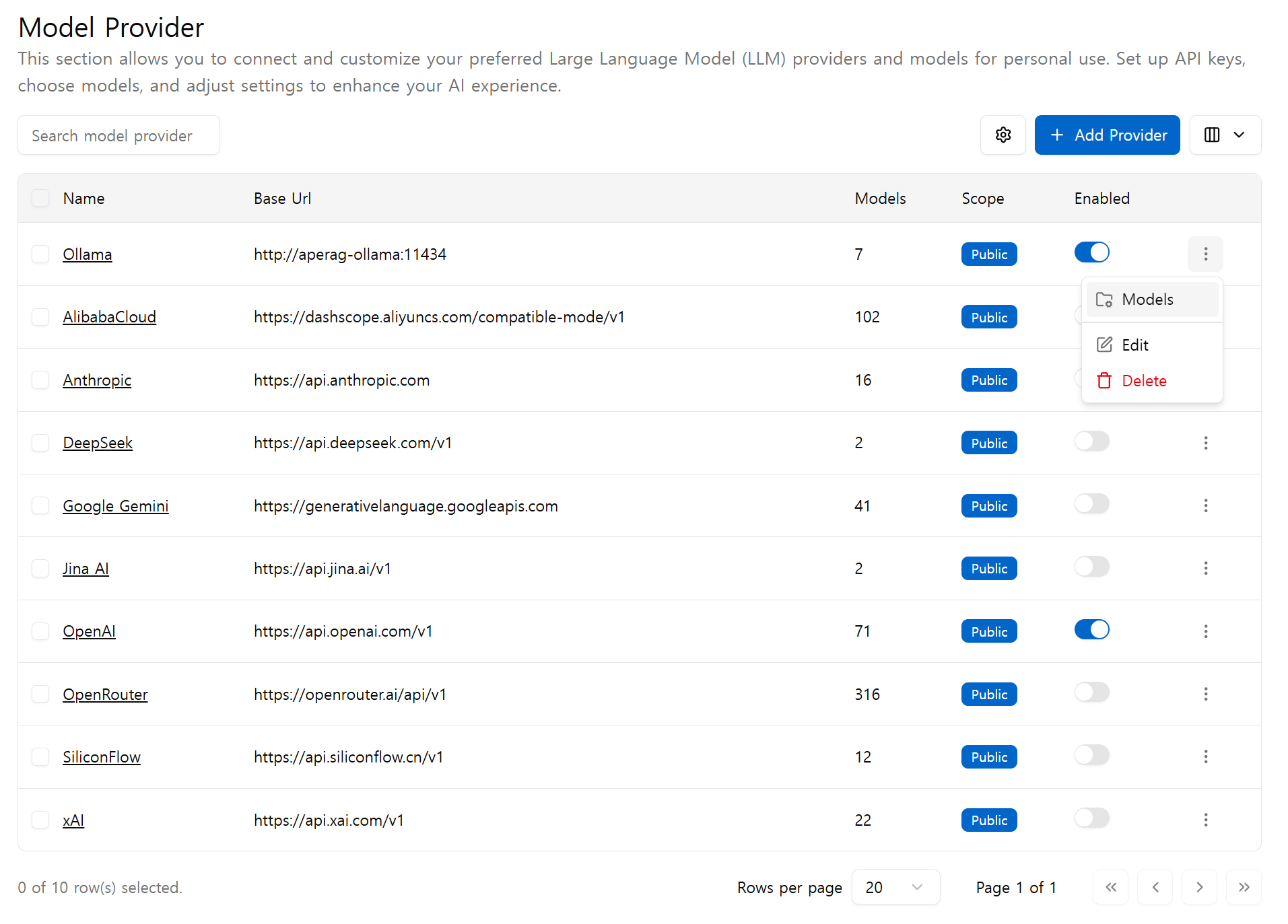
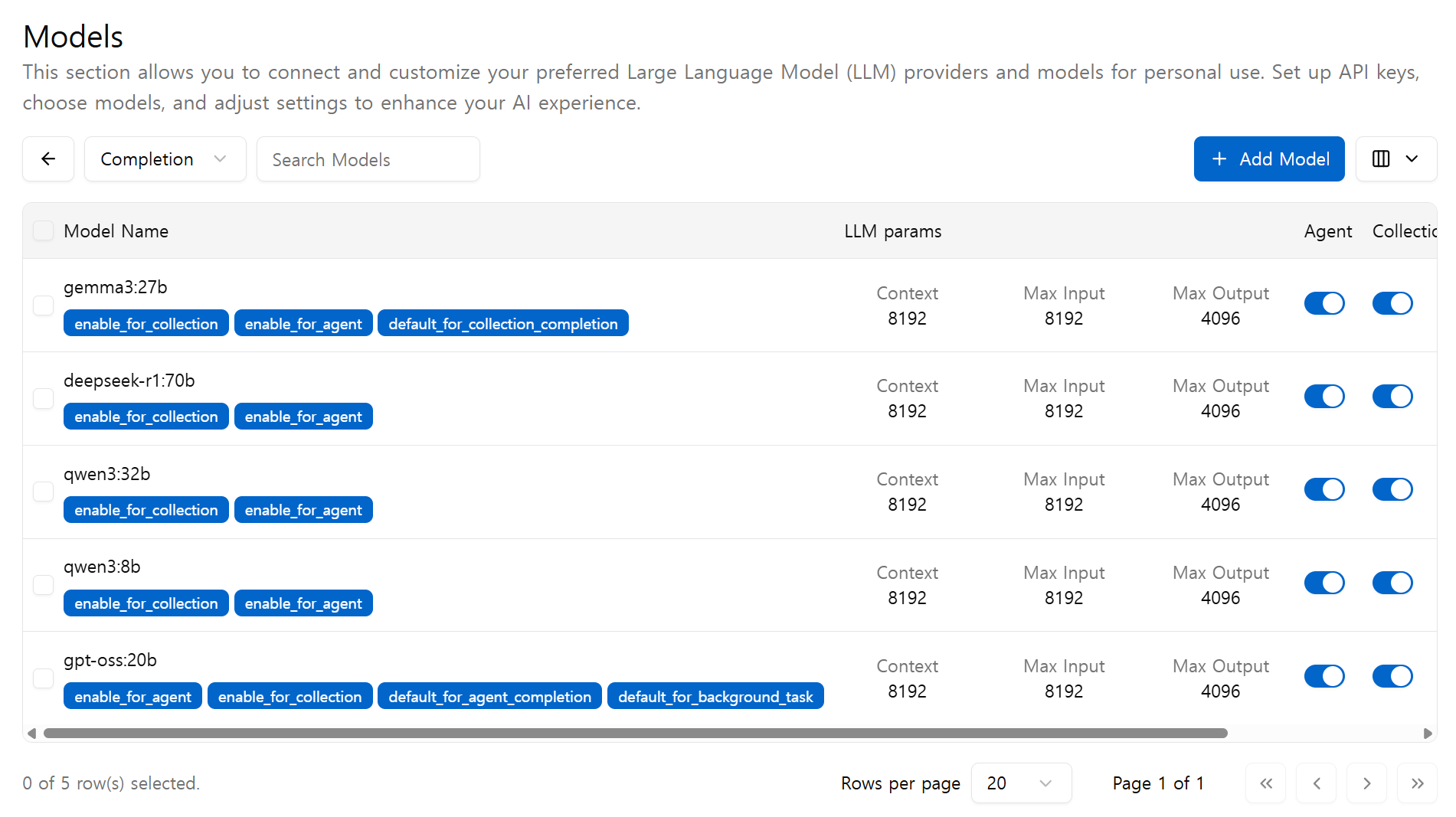
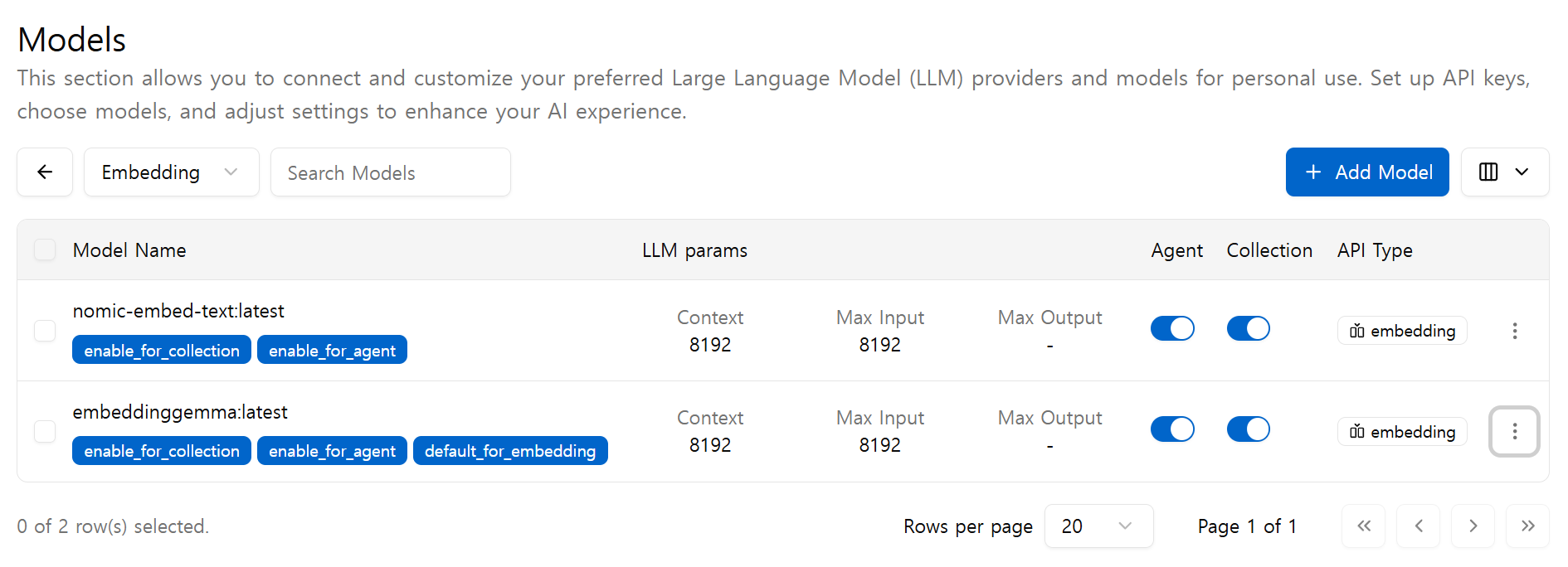
Models 클릭
Add Model 클릭
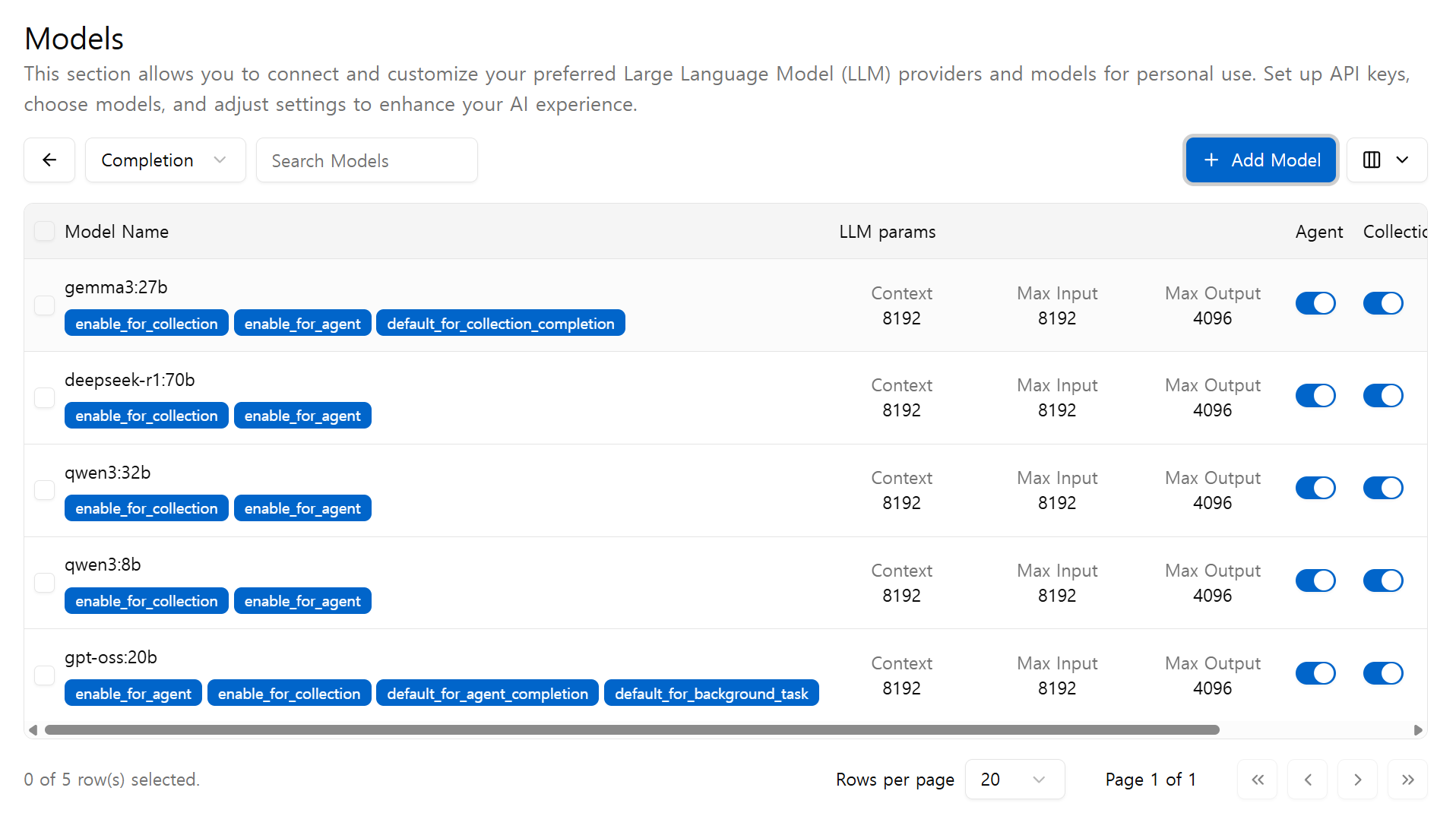
Completioon & Embedding 모델 추가
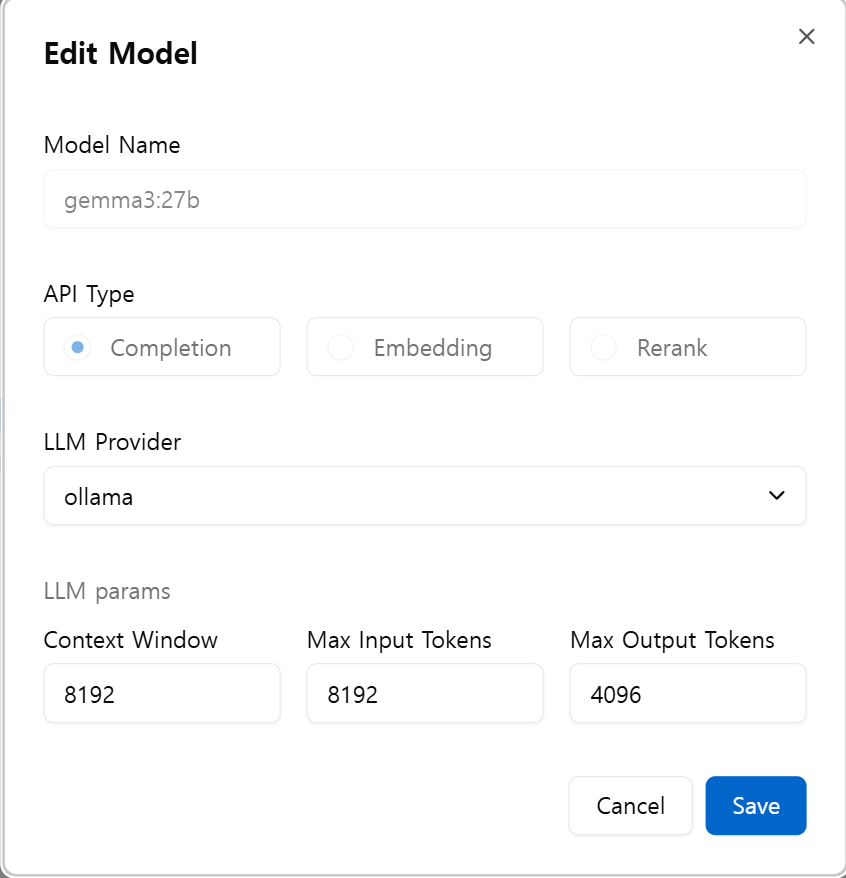
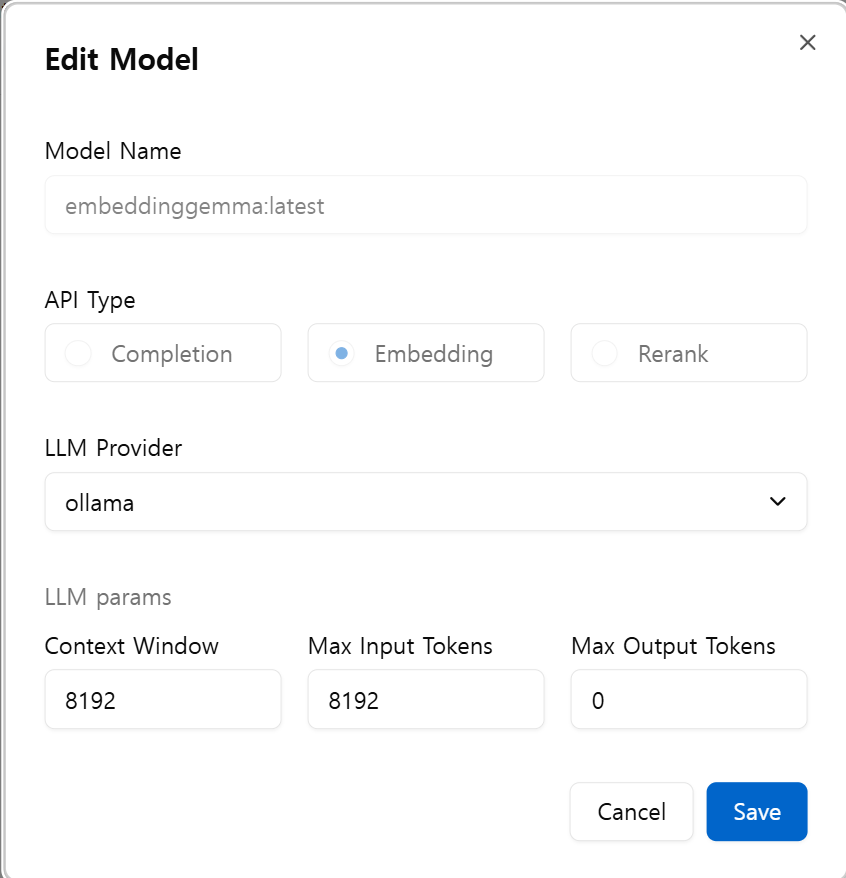
Agent & Collection 부분 활성화
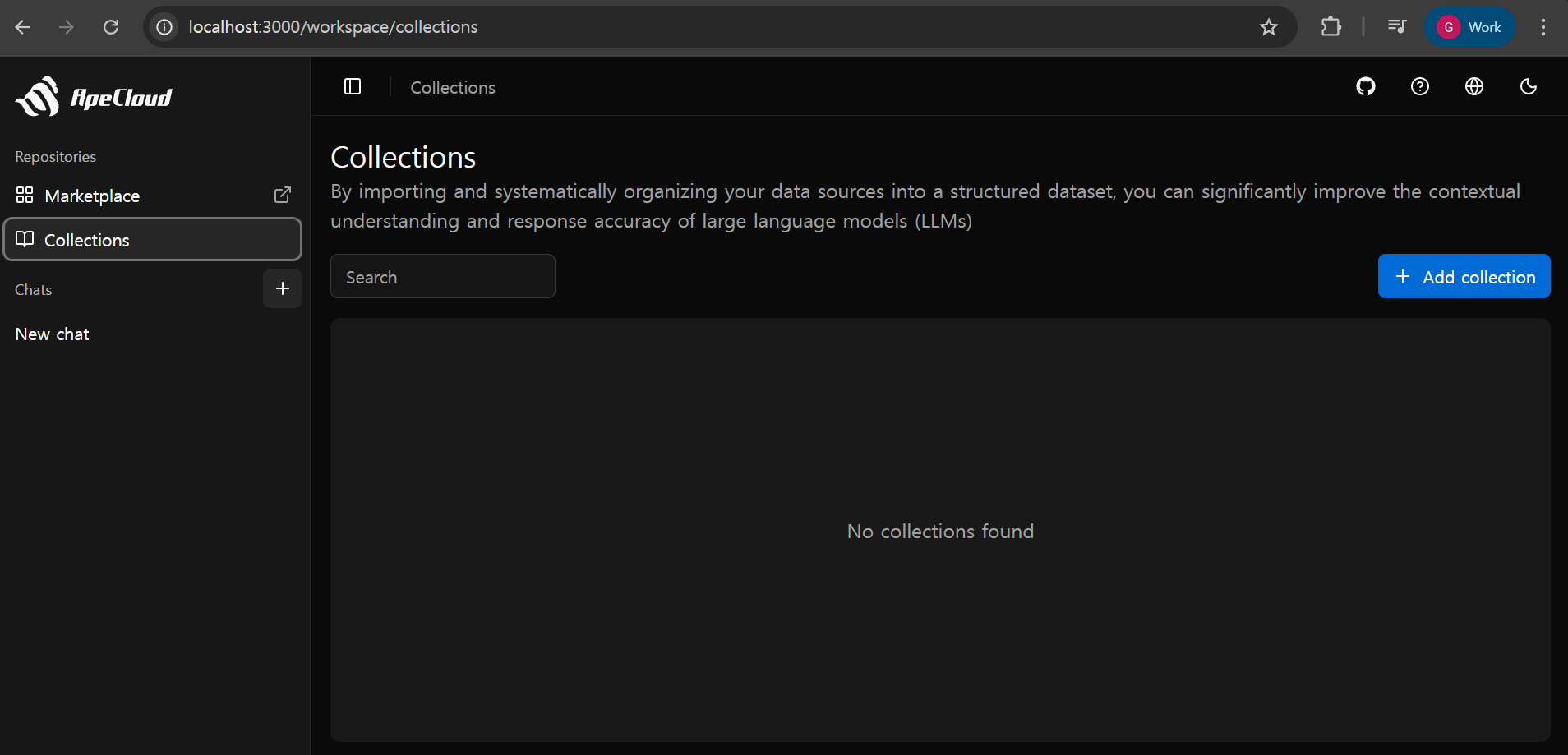
4. Collection Settings
http://localhost:3000/workspace/collections
Add collection 클릭
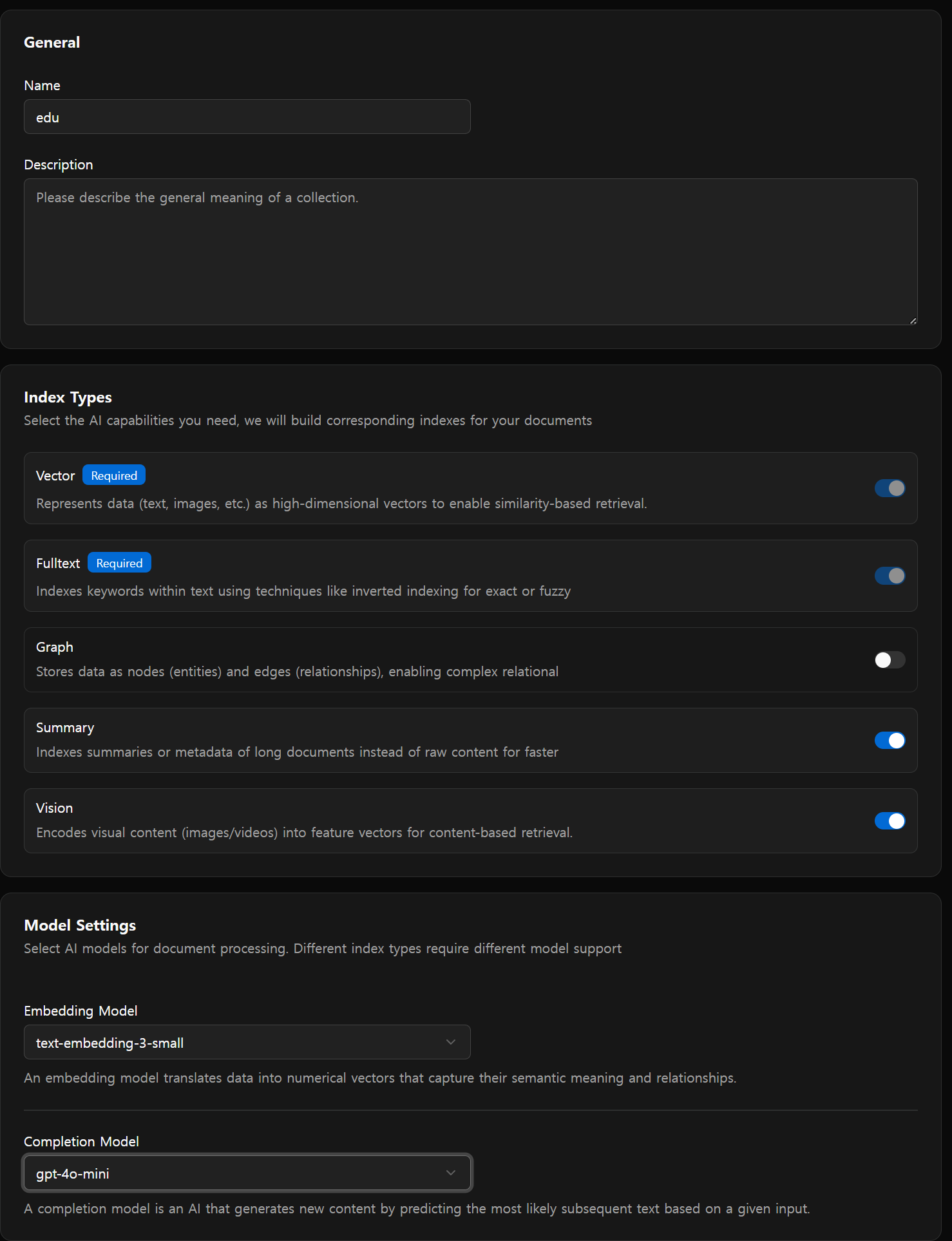
Collection 이름 및 옵션 설정
Upload file
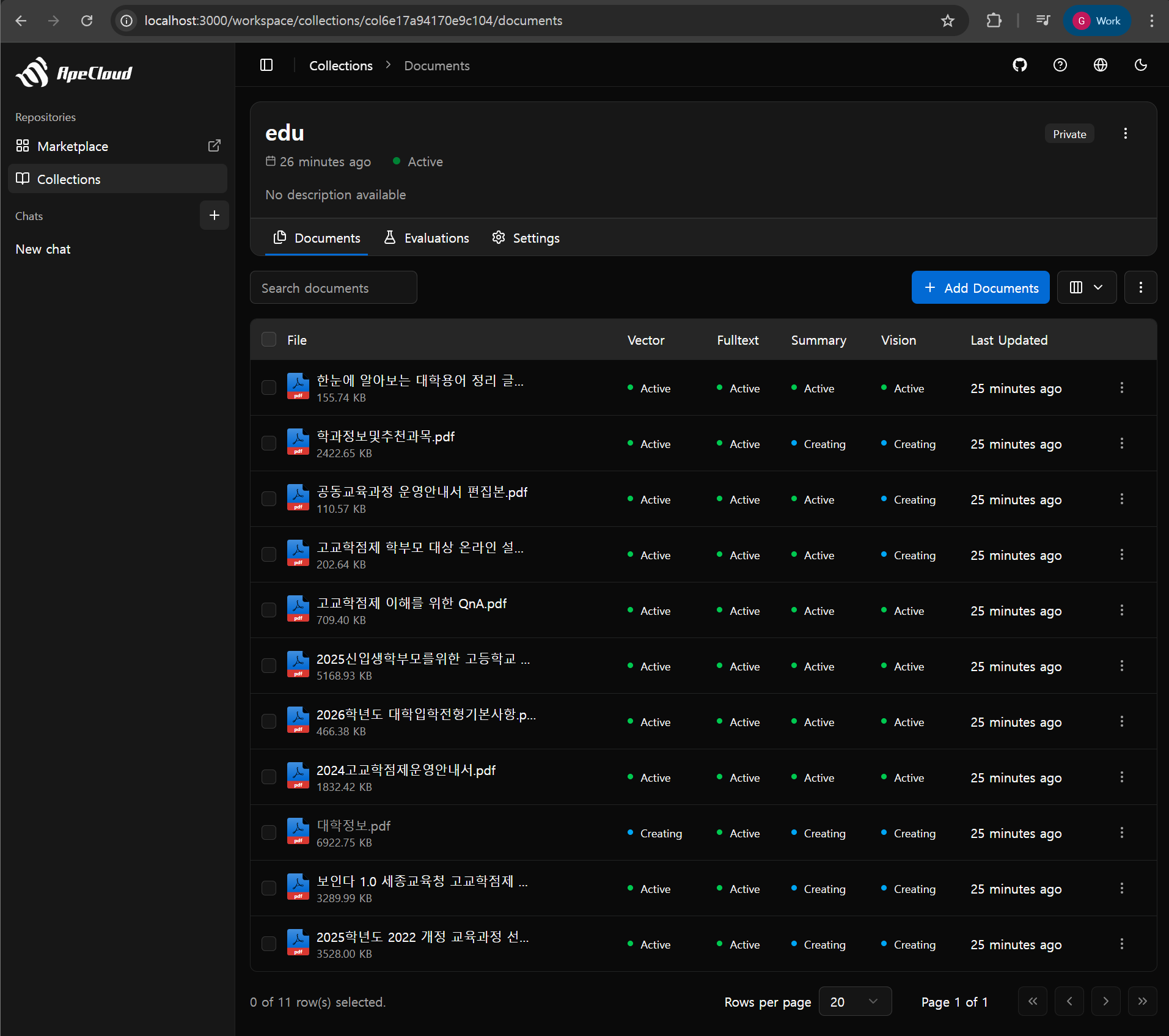
5. Evaluation
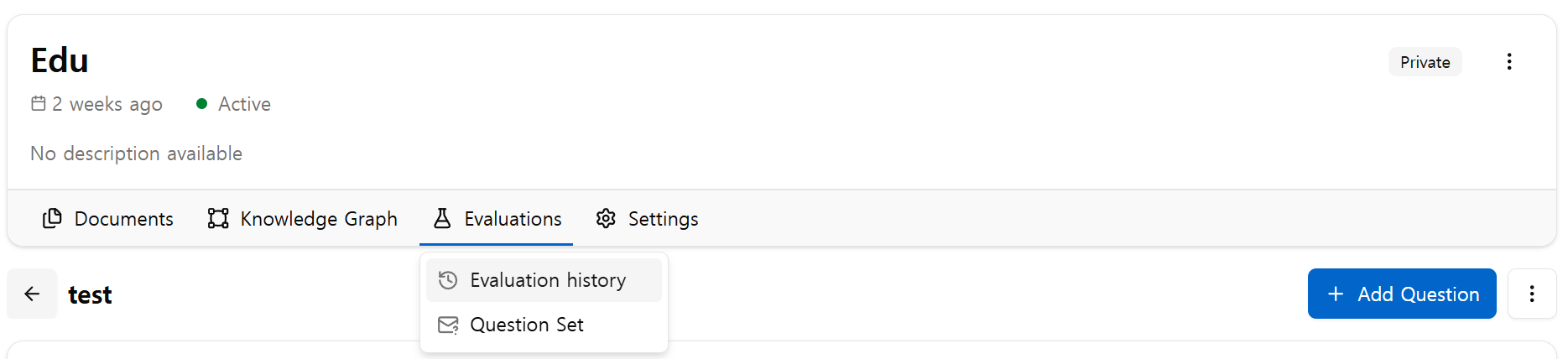
Collections -> Evaluations -> Question Set
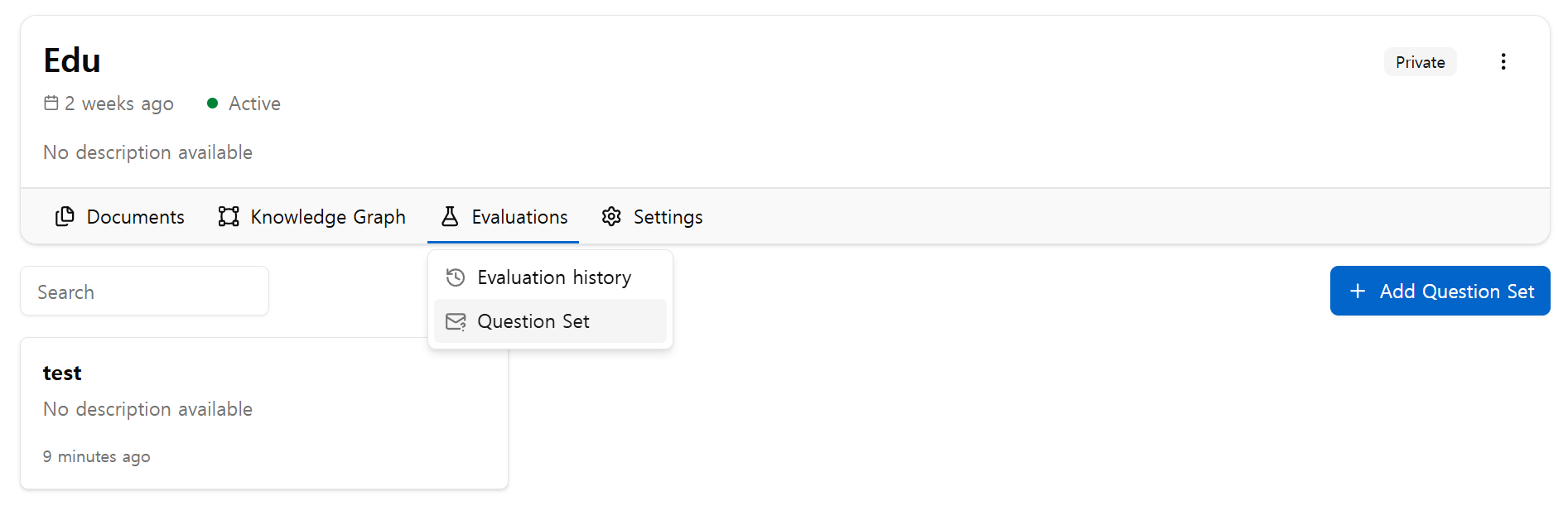
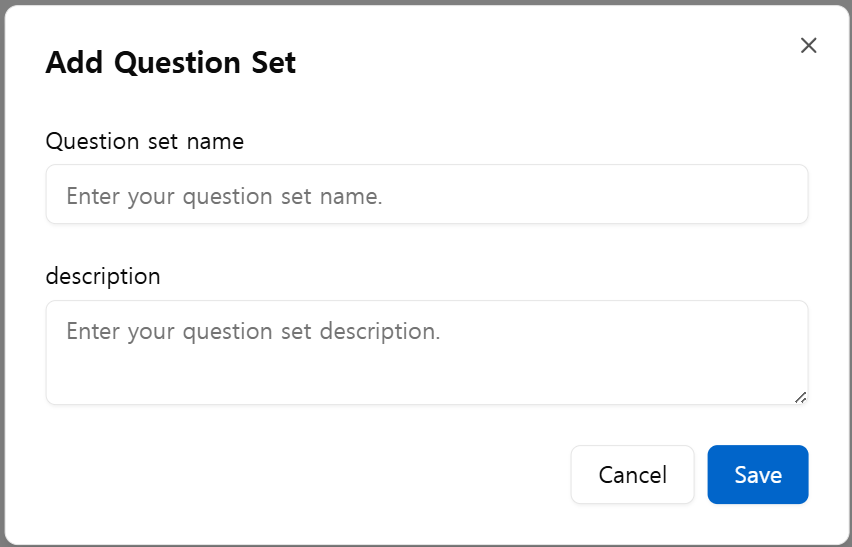
Add Question Set
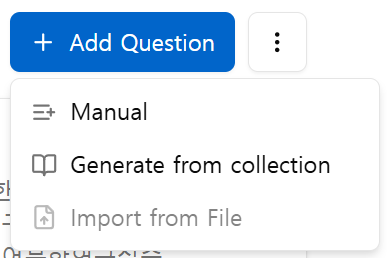
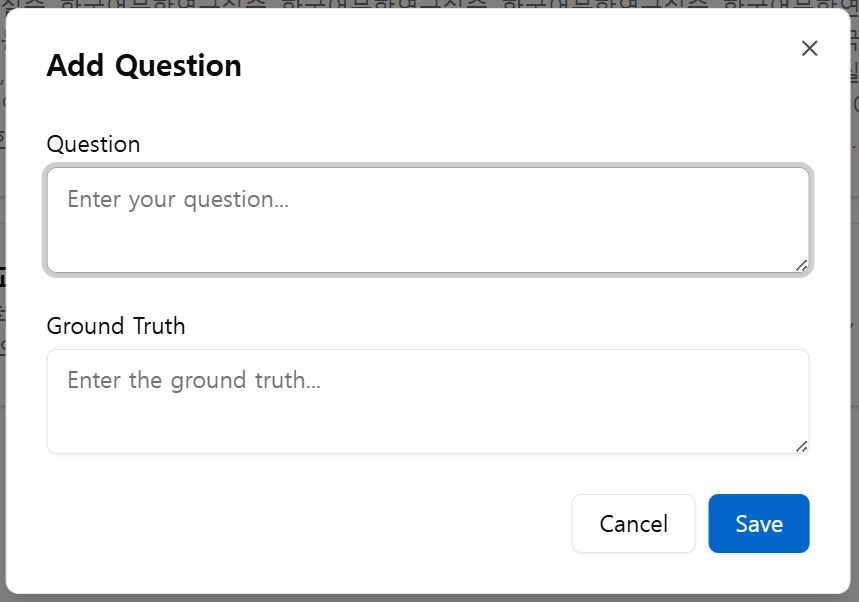
Add Question
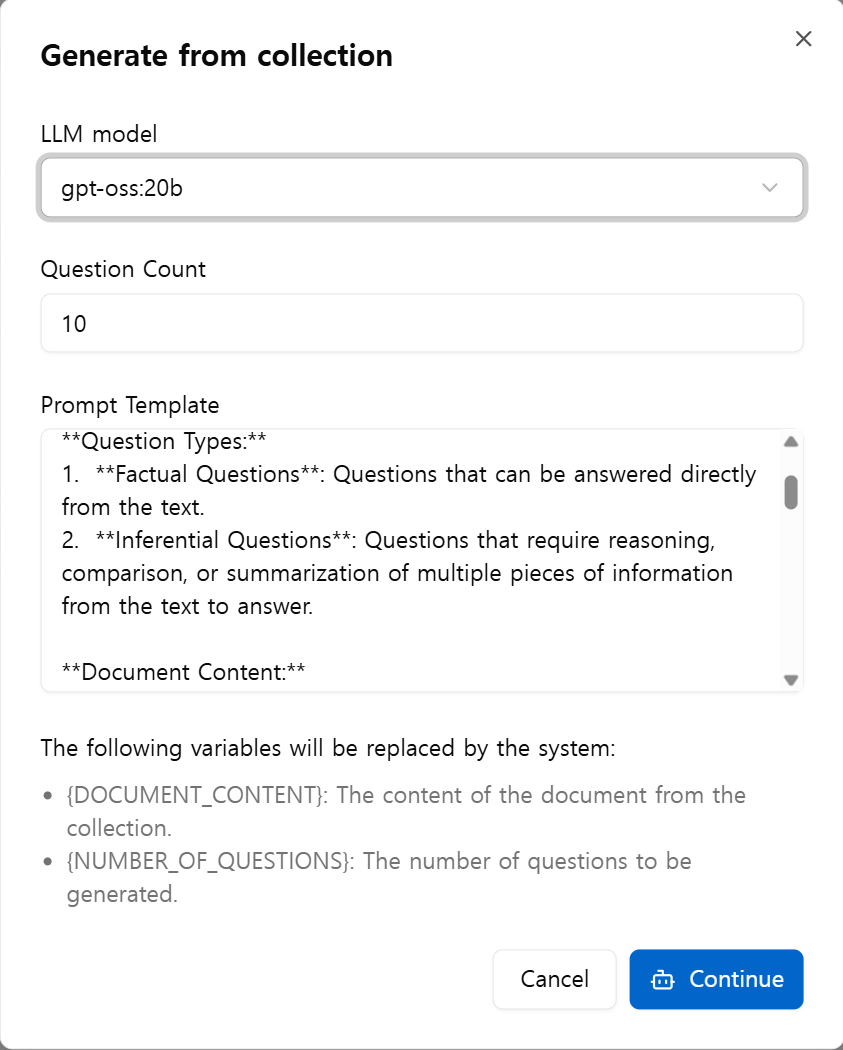
Manual or Generate from collection(by LLM)
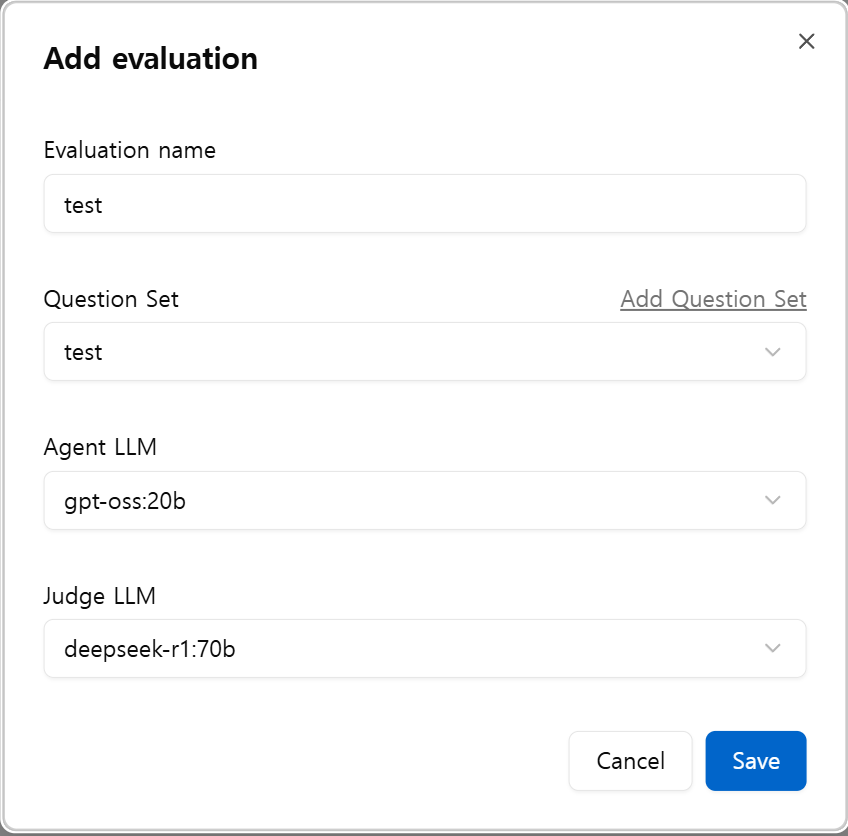
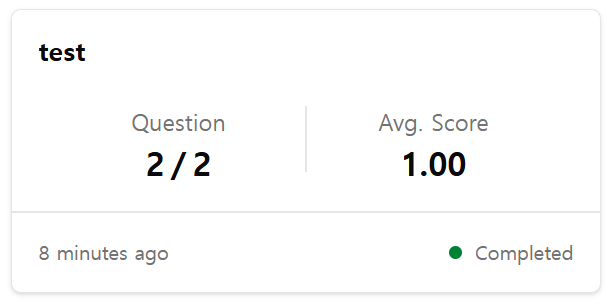
Add Evaluation
6. Monitoring
- ID : admin
- Passwd : admin
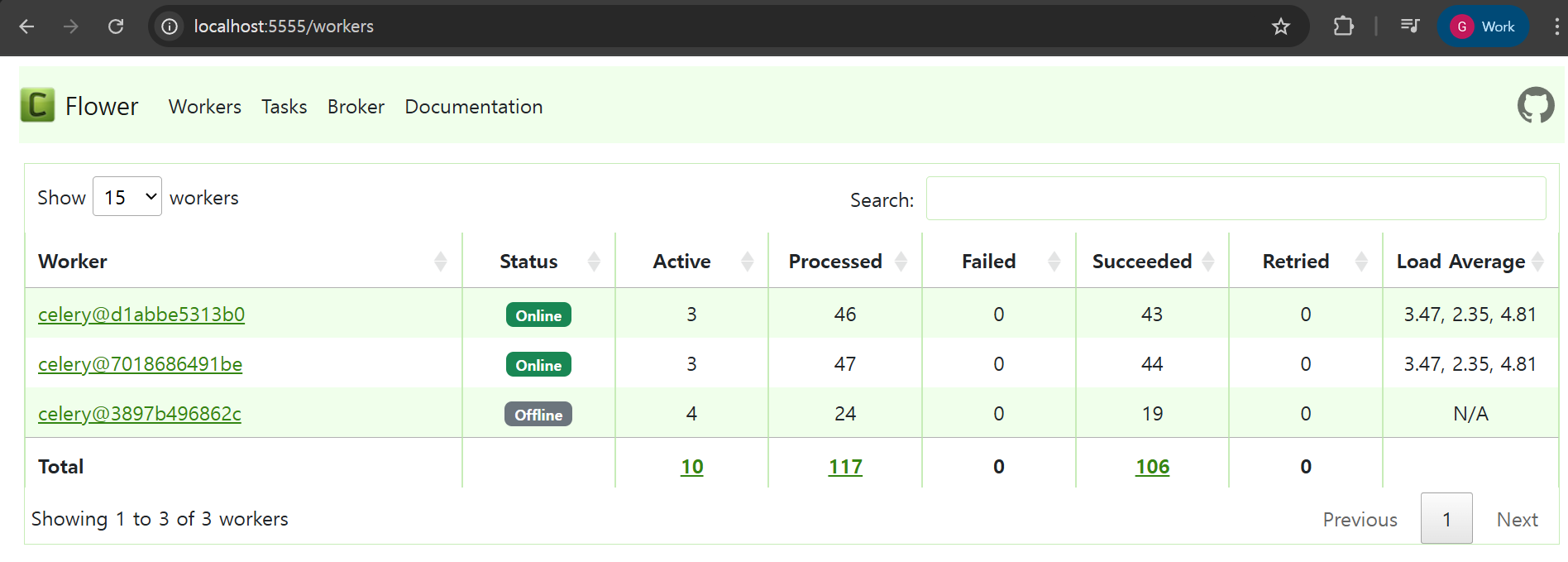
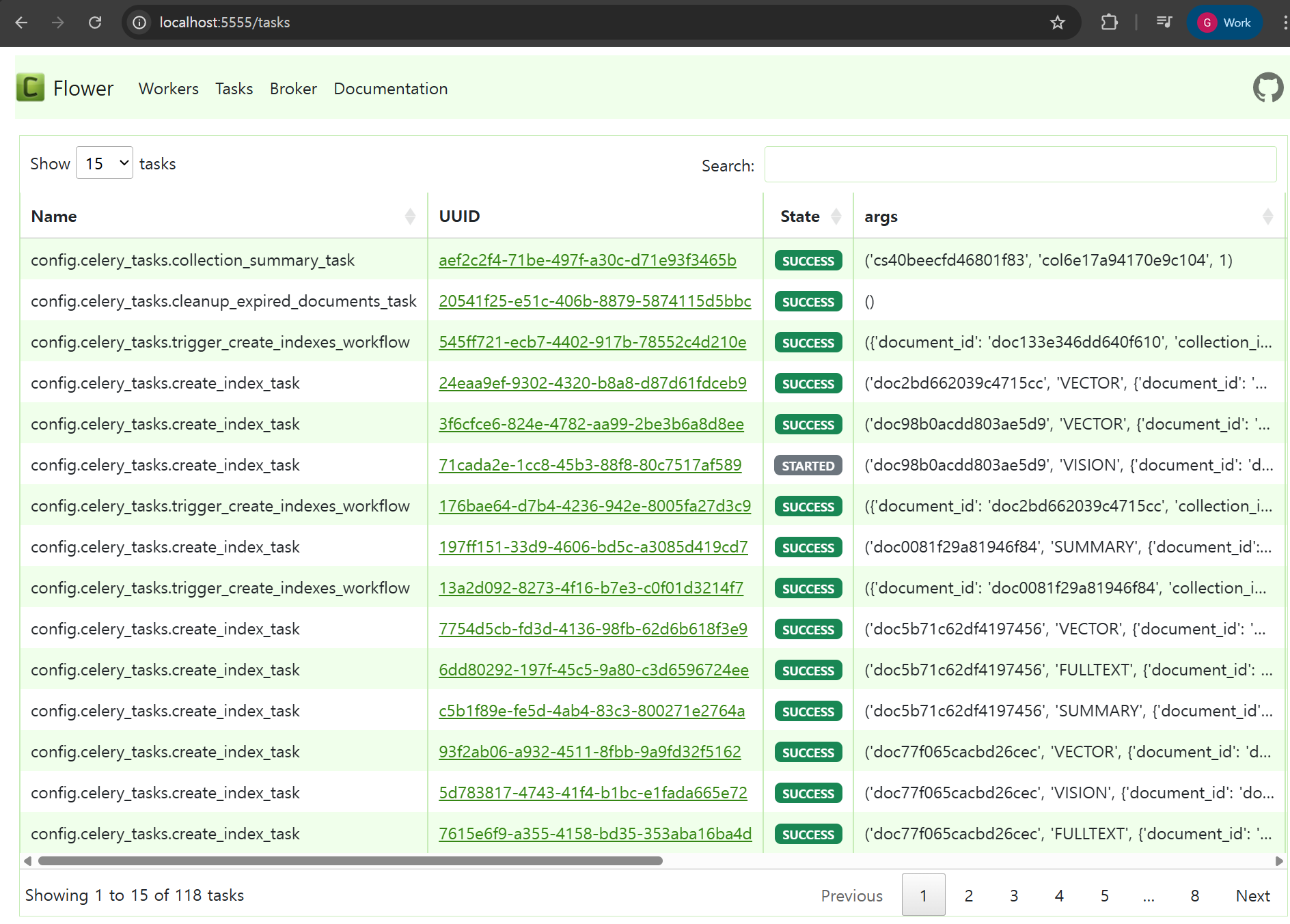
Celery-worker monitoring
Task monitoring
7. Appendix
7.1. Celery-worker
worker 수 늘려서 병렬처리로 속도 높일 수 있음
docker compose up -d --scale celeryworker=2